Introduction to Graph Generators
In today’s digital world, visual information plays an important role in how people understand data, communicate ideas, and make decisions. Whether someone is preparing a business report, working on a school assignment, analyzing research findings, or creating content for a website, graphs can make complex information much easier to understand. However, creating graphs manually can take time, especially when the data is large or needs frequent updates. This is where graph generators become useful.
Graph generators are tools or software applications that help users create graphs from numbers, datasets, mathematical expressions, or other types of information. Instead of drawing every line, bar, or data point by hand, users can enter their information and let the software produce a visual representation. Many modern tools also allow users to customize colors, labels, layouts, and other design elements.
From simple bar charts to advanced mathematical graphs, these tools are used in education, business, science, technology, and many other fields. Understanding how graph generators work can help individuals save time, present information clearly, and create more professional-looking visual content.
What Are Graph Generators?
Graph generators are digital tools designed to turn information into graphical representations. Depending on the software, they may create bar graphs, line graphs, pie charts, scatter plots, network diagrams, or mathematical function graphs.
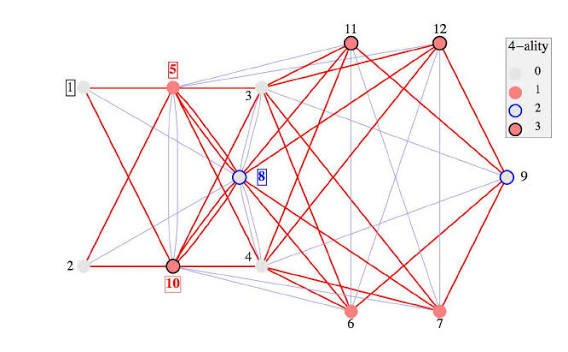
The term can have slightly different meanings in different fields. In data visualization, a graph generator usually refers to a tool that converts datasets into charts. In mathematics, it may describe software that plots equations and functions on a coordinate plane. In computer science, graph generators can also create network structures consisting of connected nodes and edges.
For example, a teacher might use a graph generator to display students’ test scores, while a business owner could use one to compare monthly sales. A mathematics student might enter an equation and view its curve instantly. Although these applications serve different purposes, they share the same basic goal: making information easier to visualize and interpret.
How Do Graph Generators Work?
Most graph generators follow a straightforward process. First, the user provides the information that needs to be displayed. This could involve typing values into a table, uploading a spreadsheet, entering an equation, or selecting parameters for a network.
Next, the tool processes the information and determines how to represent it visually. For example, a line graph connects data points in a particular order, while a bar graph uses rectangular bars to compare values across categories.
Once the graph has been generated, users can usually adjust its appearance. They may change the title, select different colors, add axis labels, modify the scale, or choose a more suitable chart type.
Many advanced tools also support automatic updates. If the underlying dataset changes, the graph can be refreshed without requiring the user to recreate the entire visual. Some applications offer templates and artificial intelligence features that recommend suitable visualizations based on the information provided.
The exact process depends on the tool, but most graph generators are designed to make graph creation faster and more accessible.
Different Types of Graph Generators
Not all graph generators are designed for the same purpose. Choosing the right type depends on the information being presented and the audience that needs to understand it.
1. Bar Graph Generators
Bar graph generators are useful when comparing values across different categories. They display information using rectangular bars, making differences between groups easy to identify.
For example, a company could compare the sales performance of five products during a particular month. A student could use a bar graph to show the number of books read by classmates. These graphs work especially well when the main objective is to compare quantities.
2. Line Graph Generators
Line graph generators display changes over time or across a continuous range of values. They connect individual data points with lines, helping viewers recognize patterns, increases, decreases, and fluctuations.
Businesses often use line graphs to monitor revenue, website traffic, and customer activity. Researchers may use them to observe changes in temperature, population, or experimental results.
3. Pie Chart Generators
Pie chart generators represent parts of a whole using sections of a circle. Each section shows the proportion associated with a particular category.
For example, a household budget could be divided into rent, food, transportation, savings, and entertainment. A pie chart can communicate these proportions quickly, although it becomes difficult to interpret when too many categories have similar values.
4. Mathematical Graph Generators
Mathematical graph generators allow users to visualize equations, functions, and coordinate relationships. Students can enter expressions and observe how changing variables affects the resulting curves.
These tools are especially useful for studying algebra, geometry, trigonometry, and calculus. They help learners connect mathematical formulas with visual patterns rather than relying entirely on abstract calculations.
5. Network Graph Generators
Network graph generators create diagrams made up of nodes and connections. They are commonly used to represent relationships between people, computers, websites, organizations, or other entities.
For example, a researcher might use a network graph to examine how information spreads through a social network. A technology professional could visualize connections between servers or components in a computer system.
Each type of graph generator has its own strengths, so selecting the appropriate format is essential for producing meaningful results.
Key Benefits of Using Graph Generators
One of the biggest advantages of graph generators is the amount of time they save. Creating a graph manually can involve repeated calculations, drawing, formatting, and checking for errors. Automated tools simplify much of this work.
Another important benefit is accuracy. When data is entered correctly, graph generators can calculate values, position data points, and maintain consistent formatting automatically. However, the final result still depends on the quality of the input data and the settings selected by the user.
Graph generators also improve communication. A long list of numbers may be difficult to understand at first glance, but a well-designed chart can reveal differences and trends almost immediately. This is particularly valuable during presentations, meetings, and educational activities.
Customization is another useful feature. Users can often change fonts, colors, backgrounds, labels, and layouts to match their needs. Some tools also support exporting graphs as images, PDFs, or other file formats, making it easier to include visuals in reports, presentations, and online content.
Finally, many browser-based graph generators are accessible without installing complicated software. This makes them convenient for students, freelancers, teachers, and professionals who need quick results.
Common Uses of Graph Generators
Graph generators are used in many areas because visual information can support both simple explanations and complex analysis.
In education, teachers use graphs to explain mathematical relationships, demonstrate scientific concepts, and help students understand statistical information. Students can also use them to prepare assignments and present research findings.
In business, graph generators help managers track sales, compare expenses, evaluate marketing campaigns, and monitor performance indicators. A clear visual can make it easier to recognize a problem or identify an opportunity.
Researchers use graphs to explore datasets, communicate experimental results, and explain relationships between variables. Depending on the subject, they may work with statistical charts, mathematical plots, or network diagrams.
Digital marketers use graphs to understand website visits, advertising performance, conversion rates, and audience engagement. These visualizations can help them compare campaigns and decide where to focus their resources.
Graph generators are also valuable in software development and data science. Developers may create network diagrams, while analysts use charts to investigate patterns and communicate findings to colleagues or clients.
How to Choose the Right Graph Generator
With so many options available, selecting a suitable graph generator can feel confusing. The best choice depends on what you want to create and how much control you need over the final result.
Start by identifying your main purpose. If you want to compare categories, a bar graph generator may be appropriate. If you need to show changes over time, a line graph generator is often a better option. For equations and mathematical functions, choose a tool designed specifically for mathematical plotting.
Next, consider ease of use. Beginners may prefer a simple interface with ready-made templates and straightforward controls. More experienced users might need advanced customization, support for large datasets, or integration with programming languages.
Data compatibility is another important factor. Some tools accept manual input, while others support spreadsheets, CSV files, or external data sources. Choosing software that works with your existing files can make the process much smoother.
You should also consider export options, privacy, and cost. If you are preparing professional reports, high-quality downloads may be important. If your data is sensitive, review how the service handles uploaded information. Free tools may be sufficient for basic projects, while specialized applications can offer more advanced features.
Ultimately, the best graph generator is the one that meets your requirements without making the process unnecessarily complicated.
Tips for Creating Effective Graphs
Using a graph generator is only the first step. The quality of the final graph depends on how thoughtfully the information is presented.
Begin with a clear objective. Before selecting a chart type, decide what you want readers to learn from the data. A graph designed to compare products may look different from one intended to demonstrate a long-term trend.
Keep the design simple. Too many colors, decorative elements, or unnecessary labels can distract readers from the main message. Use consistent formatting and make sure the text is easy to read.
Always label important elements. A descriptive title, clearly marked axes, and appropriate units help viewers understand what the graph represents. If multiple data series appear in the same chart, include a readable legend.
Check the data before publishing. Incorrect values, missing information, or misleading scales can lead to false conclusions. Pay particular attention to the vertical axis, since changing its scale can make small differences appear much larger than they really are.
Finally, consider your audience. A graph intended for technical researchers may include more detail than one designed for a general audience. The goal is not simply to make the graph attractive but to make the information understandable.
The Future of Graph Generators
Graph generators continue to evolve as digital tools become more sophisticated. Artificial intelligence, automated data analysis, and interactive visualization features are making graph creation more accessible to people without specialized technical skills.
Some modern tools can recommend chart types, identify patterns, and suggest ways to improve visual presentation. Interactive graphs also allow viewers to explore information by filtering categories, examining individual data points, or changing displayed variables.
Integration with spreadsheets, business intelligence platforms, and online collaboration tools is making it easier for teams to work with updated information. In the future, graph generators may become even more useful for explaining complex datasets through automated insights and personalized visualizations.
However, technology cannot replace careful thinking. Users still need to select appropriate chart types, verify their data, and interpret results responsibly. Automation can simplify the process, but meaningful analysis requires human judgment.
Conclusion
Graph generators have become valuable tools for turning raw information into clear and useful visual content. They help users create charts, plot mathematical functions, visualize networks, and communicate findings without spending unnecessary time on manual formatting.
Their applications extend across education, business, research, marketing, and technology. By choosing the right tool and following basic visualization principles, anyone can create graphs that are informative, accurate, and easy to understand.
Whether you are a student working on an assignment, a professional preparing a report, or a researcher exploring complex data, graph generators can make your work more efficient. As these tools continue to improve, their role in modern communication and data analysis is likely to become even more important.