Introduction
In today’s digital world, information is everywhere. Businesses collect customer data, students work with research findings, marketers analyze campaign results, and content creators share information with their audiences. However, presenting large amounts of data in plain text or complicated tables can make it difficult for people to understand the main points. This is where chart creators become useful.
Chart creators are tools that help people turn numbers, statistics, and other types of information into visual representations. These visuals can include bar charts, pie charts, line graphs, area charts, and many other formats. Instead of asking readers to study rows of figures, a well-designed chart allows them to recognize patterns and understand important information more quickly.
Whether you are a student preparing an assignment, a business owner reviewing sales performance, or a blogger creating informative content, chart creators can simplify your work. Many tools are easy to use, even for people who have little experience with data visualization.
In this guide, we will explore what chart creators are, how they work, their main benefits, popular chart types, and how to choose the right tool for your needs.
What Are Chart Creators?
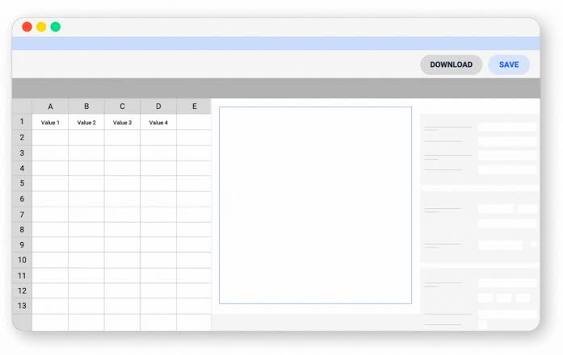
Chart creators are digital tools or software applications designed to transform data into visual charts and graphs. They help users organize information and present it in a format that is easier to read, compare, and understand.
Some chart creators offer basic features, allowing users to enter a few numbers and generate a simple chart. Others provide advanced options such as interactive visualizations, customizable colors, data imports, animations, and collaborative editing.
For example, imagine that a small business owner wants to compare monthly sales. Looking at twelve separate sales figures may not immediately reveal whether the business is growing. A line chart can display the same information in a visual format, making increases, decreases, and seasonal changes easier to identify.
Chart creators are useful because they reduce the effort required to produce professional-looking visuals. Instead of drawing charts manually, users can enter their data, select a chart type, customize the design, and export the finished result.
Why Are Chart Creators Important?
Charts are more than decorative elements. When used correctly, they help people communicate information and make informed decisions.
One major advantage of chart creators is that they make complex information easier to understand. A large spreadsheet may contain hundreds of values, but a carefully designed chart can highlight the most important trends without overwhelming the reader.
Another benefit is improved communication. In business presentations, for example, a chart can help managers explain performance results to employees or investors. In education, teachers can use charts to explain scientific concepts, historical statistics, and mathematical relationships.
Chart creators can also save time. Many tools automatically calculate values, update charts when data changes, and offer ready-made templates. This allows users to focus more on understanding their information rather than spending hours designing visuals.
Additionally, charts can make online content more engaging. Bloggers, website owners, and social media managers often use visual data to make articles more informative and easier to explore.
Popular Types of Charts You Can Create
Different charts serve different purposes. Choosing the right format depends on the type of information you want to communicate.
1. Bar Charts
Bar charts are commonly used to compare values across different categories. They display information through rectangular bars, making differences easy to recognize.
For example, a company might use a bar chart to compare the monthly sales of five products. The chart immediately shows which products perform well and which may need improvement.
Bar charts are especially useful for business reports, school projects, surveys, and market research.
2. Line Charts
Line charts are designed to show changes over time. Individual data points are connected by lines, helping readers identify trends and fluctuations.
A website owner could use a line chart to display monthly website traffic. The visualization may reveal periods of growth, sudden declines, or recurring seasonal patterns.
Line charts work well for tracking sales, expenses, temperatures, website visitors, and other measurements collected over time.
3. Pie Charts
Pie charts represent how individual categories contribute to a whole. Each section displays a proportion of the total.
For instance, a marketing team could use a pie chart to illustrate how its advertising budget is divided among social media, search advertising, email marketing, and other channels.
Pie charts are most effective when there are only a few categories and the differences between them are easy to distinguish. When there are too many sections, a bar chart may communicate the information more clearly.
4. Area Charts
Area charts are similar to line charts, but the area beneath the line is filled with color. They can help demonstrate changes in totals over time.
Businesses may use area charts to track cumulative revenue, product demand, or the contribution of different departments to overall performance.
Stacked area charts can also compare how several categories contribute to a changing total, although too many categories can make the visualization difficult to interpret.
5. Scatter Plots
Scatter plots help users examine relationships between two numerical variables. Each point represents an observation, allowing viewers to identify possible patterns or unusual values.
For example, researchers might compare advertising expenditure with sales revenue to investigate whether the two variables appear to be related.
A scatter plot can reveal a positive association, a negative association, or no obvious relationship. However, a visible relationship does not automatically prove that one variable causes changes in another.
Key Features to Look for in Chart Creators
Not all chart creators offer the same capabilities. Before selecting a tool, consider which features will make your work easier.
Easy-to-use interface: A simple interface allows beginners to create charts without spending too much time learning complicated software.
Multiple chart types: A good tool should support common formats, including bar charts, line charts, pie charts, and scatter plots.
Customization options: Colors, fonts, labels, titles, legends, and backgrounds should be adjustable so that charts match your presentation or brand.
Data import options: Some tools allow users to import information from spreadsheets or CSV files. This is particularly helpful when working with large datasets.
Export formats: Depending on your needs, you may want to download charts as PNG, JPG, SVG, or PDF files. Some tools also support embedding charts directly into websites.
Interactive features: Interactive charts allow viewers to hover over data points, filter categories, or explore additional details. These features can be valuable for dashboards and online reports.
Privacy and security: If your charts contain confidential business information or personal data, review the tool’s privacy policies and data-handling practices before uploading anything.
Best Chart Creators for Different Needs
Several popular tools can help users create charts, but the best option depends on the project’s complexity, budget, and intended audience.
Microsoft Excel
Microsoft Excel is a practical choice for people who already work with spreadsheets. It offers a wide selection of charts and allows users to connect visualizations directly to their data.
Excel is particularly useful for financial reports, sales analysis, budgets, and everyday business tasks.
Google Sheets
Google Sheets provides accessible chart-making features through a browser-based spreadsheet environment. Users can create charts, update data, and collaborate with other people.
It is a convenient option for students, small teams, and professionals who need a straightforward way to visualize information online.
Canva
Canva is known for its design-focused approach. It offers chart-making features alongside presentation templates, infographics, and other visual content.
This makes it useful for bloggers, marketers, educators, and social media creators who want their charts to fit into visually attractive designs.
Tableau
Tableau is a powerful data visualization platform designed for more advanced analytical work. It supports interactive dashboards and helps users explore relationships within larger datasets.
Organizations often use it to analyze business performance, monitor key indicators, and communicate insights to decision-makers.
Looker Studio
Looker Studio helps users build dashboards and reports from supported data sources. It can be especially useful for digital marketers and website owners who need to present performance metrics in a visual format.
Before choosing any platform, check its current pricing, available integrations, export options, and feature limitations because these can vary by plan.
How to Create an Effective Chart
Creating a chart involves more than choosing attractive colors. The main goal is to communicate information accurately and clearly.
Start by identifying the question you want the chart to answer. Are you comparing products, tracking changes over time, or showing how a total is divided into categories? Your answer will help determine the appropriate chart type.
Next, organize your data carefully. Check for missing values, duplicate entries, inconsistent labels, and incorrect calculations. Even a beautifully designed chart can be misleading if the underlying information is inaccurate.
After preparing the data, choose a chart that fits its purpose. Use bar charts for category comparisons, line charts for time-based trends, and scatter plots for relationships between numerical variables.
Keep the design simple. Use readable fonts, clear labels, and a limited color palette. Avoid adding unnecessary effects or decorative elements that distract from the information.
Finally, review the finished chart. Make sure the title explains its purpose, the axes are labeled correctly, and the scale does not exaggerate differences. If the chart includes percentages, confirm that the values are calculated correctly.
Whenever possible, ask someone unfamiliar with the data to review your chart. If that person can understand the main message without a lengthy explanation, your visualization is probably doing its job.
Common Mistakes to Avoid When Using Chart Creators
Even with helpful software, users can make mistakes that reduce the effectiveness of their charts.
One common mistake is choosing the wrong chart type. For example, using a pie chart to compare twenty categories can make the information difficult to read. A sorted bar chart would usually be a better option.
Another problem is including too much information. A chart crowded with labels, colors, legends, and unnecessary details can confuse readers rather than help them.
Misleading scales are another concern. If an axis starts at an unexpected value or uses inconsistent intervals, differences may appear larger or smaller than they really are. Axis choices should suit the data and be clearly presented.
Poor color selection can also create problems. Similar shades may be difficult to distinguish, especially for people with color vision deficiencies. Using clear contrast, direct labels, and accessible color combinations can improve readability.
Finally, users sometimes forget to provide context. A chart showing percentages without identifying the population, time period, or source may leave readers wondering what the numbers actually represent. Adding a brief explanation can make the visualization much more meaningful.
Who Can Benefit From Chart Creators?
Chart creators are useful across many industries and professions.
Students can use them to present research findings, complete assignments, and explain statistical information. Teachers can create classroom visuals that make difficult topics easier to understand.
Business owners can track sales, expenses, customer behavior, and operational performance. Marketing professionals can compare campaign results, monitor website traffic, and explain audience engagement.
Researchers can use charts to explore datasets and present findings to colleagues. Journalists and bloggers can transform statistics into visual explanations that support their articles.
Even individuals can benefit from chart creators. A person planning a household budget, tracking fitness progress, or comparing monthly expenses may find that a simple chart makes patterns easier to recognize.
The main advantage is flexibility. You do not need to be a data scientist or professional designer to create a useful visualization. With the right tool and a clear objective, almost anyone can turn raw numbers into understandable information.
Conclusion
Chart creators have become valuable tools for presenting information in a clear, organized, and engaging way. From simple bar charts to interactive dashboards, they help users identify patterns, compare values, and explain findings without relying entirely on lengthy tables or paragraphs.
The right tool depends on your goals. Excel and Google Sheets are practical for everyday data tasks, Canva is useful for design-focused content, and platforms such as Tableau and Looker Studio support more advanced reporting needs.
However, successful chart creation is not only about software. Accurate data, an appropriate chart type, readable labels, and a thoughtful design are equally important.
By understanding these principles and experimenting with different chart creators, you can produce visualizations that communicate your message effectively and help your audience understand what the data really means.
Frequently Asked Questions (FAQs)
1. What are chart creators?
Chart creators are digital tools that transform numerical or categorical data into visual formats such as bar charts, line charts, pie charts, and scatter plots. They help users present information in a way that is easier to understand and compare.
2. Are chart creators suitable for beginners?
Yes. Many chart creators offer simple interfaces, templates, and automatic formatting. Beginners can often create basic charts by entering data, choosing a chart type, and adjusting a few design settings.
3. Which chart creators are free to use?
Google Sheets offers chart-making features without a standard paid subscription for personal use, subject to Google’s account and service terms. Canva and other platforms also offer free options, although advanced features may require payment. Always check the current plans and limitations.
4. Which chart type is best for comparing data?
Bar charts are generally effective for comparing values across categories. However, the best option depends on your data and objective. Line charts are often better for trends over time, while scatter plots help explore relationships between numerical variables.
5. Can I create charts without coding?
Yes. Many tools, including Excel, Google Sheets, and Canva, let users create charts through menus and visual controls. Coding is generally unnecessary for basic visualizations, although programming can provide greater flexibility for specialized projects.
6. Can chart creators be used for business reports?
Absolutely. Businesses use charts to present sales figures, financial performance, customer trends, marketing results, and other key measurements. Clear visualizations can help teams understand results and support better-informed decisions.
7. How do I make my charts look professional?
Use an appropriate chart type, choose readable fonts, keep colors consistent, label the axes, and provide a descriptive title. Avoid unnecessary visual effects and check that your scales accurately represent the data.
8. Are online chart creators safe to use?
Many established tools provide security and privacy controls, but safety depends on the specific platform and its settings. Before uploading sensitive information, review the provider’s privacy policy, access controls, and data retention practices. For confidential data, consider an approved tool that meets your organization’s security requirements.