Introduction
In today’s digital world, visual communication has become an important part of sharing information, explaining ideas, and solving problems. Whether you are a student preparing a school project, a business professional planning a workflow, or a designer organizing complex information, diagrams can make your work easier to understand. This is where diagram makers become useful.
Diagram makers are digital tools that help people create visual representations of information without requiring advanced design skills. They allow users to build flowcharts, mind maps, organizational charts, network diagrams, process diagrams, and many other types of visuals. Instead of drawing everything manually, users can work with ready-made shapes, templates, connectors, and editing features to create professional results.
With so many options available online, choosing the right tool can make a significant difference in productivity and presentation quality. In this guide, we will explore what diagram makers are, their benefits, the different types available, and how to choose the best option for your needs.
What Are Diagram Makers?
Diagram makers are software applications or online platforms designed to help users create, edit, and share diagrams. These tools provide a visual workspace where people can arrange shapes, lines, text, icons, and other elements to explain information clearly.
For example, a teacher might use a diagram maker to explain a scientific process, while a project manager could create a flowchart showing how a task moves from one department to another. Similarly, software developers may use diagrams to illustrate system architecture, database relationships, or application workflows.
Many modern diagram makers include drag-and-drop functionality, customizable templates, collaboration features, and export options. Some tools are designed for beginners, while others offer advanced capabilities for technical and professional projects.
The main purpose of these tools is simple: to transform complicated information into visuals that people can understand quickly.
Why Are Diagram Makers Important?
Diagrams help people understand relationships, identify patterns, and follow processes. Long explanations can sometimes make information difficult to remember, but a well-designed visual can communicate the same idea more effectively.
Diagram makers make this process accessible to a wider audience. Users do not need to be professional graphic designers to produce useful and attractive diagrams. They can select a suitable template, add their information, and customize the design according to their requirements.
These tools are also valuable for improving communication within teams. When everyone can see the same workflow or project structure, misunderstandings become less likely. Teams can identify missing steps, discuss possible improvements, and make decisions with greater confidence.
Another important advantage is flexibility. A diagram can be updated whenever a process changes, making it easier to maintain accurate documentation over time.
Different Types of Diagram Makers
There are several types of diagram makers, and each serves a different purpose. Understanding these categories can help you select the right tool for your project.
1. Flowchart Makers
Flowchart makers help users visualize a process from beginning to end. They use shapes and connecting lines to represent actions, decisions, inputs, and outcomes.
Businesses use flowcharts to document procedures, explain customer journeys, and improve operational efficiency. Students and teachers also use them to explain algorithms, research methods, and step-by-step processes.
2. Mind Map Makers
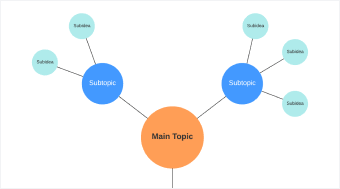
Mind map makers are useful for brainstorming, planning, and organizing ideas. They usually begin with a central topic and expand into related branches containing supporting concepts.
Writers can use mind maps to plan articles, students can organize study notes, and entrepreneurs can explore business ideas. This visual structure makes it easier to see how different thoughts connect.
3. Organizational Chart Makers
Organizational chart makers help businesses display company structures, reporting relationships, and team responsibilities. These diagrams can show departments, managers, employees, and the connections between them.
They are especially useful for onboarding new employees, planning departmental changes, and communicating responsibilities across an organization.
4. Network Diagram Makers
Network diagram makers are designed to represent computer networks, devices, servers, connections, and infrastructure components. IT professionals use these tools to plan network layouts, document systems, and troubleshoot technical issues.
Some advanced tools also support specialized network symbols and detailed technical documentation.
5. UML and Technical Diagram Makers
Unified Modeling Language (UML) diagram makers help software developers visualize how applications and systems are structured. They can create class diagrams, sequence diagrams, activity diagrams, and other technical visuals.
These diagrams are useful when designing software, documenting system behavior, or explaining technical concepts to development teams.
6. Data and Process Diagram Makers
Some tools focus on business processes, data relationships, decision trees, and information flows. They help users explain how information moves between systems or how different activities depend on one another.
The best choice depends on the complexity of the project and the type of information you want to communicate.
Key Features to Look for in Diagram Makers
Not all diagram makers offer the same capabilities. Before choosing one, consider the features that will make your work easier.
Easy-to-use interface: A simple interface allows users to create diagrams without spending hours learning the software. Drag-and-drop editing is especially helpful for beginners.
Ready-made templates: Templates save time by providing a starting point for common diagram types. Users can customize these layouts instead of building everything from scratch.
Customization options: Colors, fonts, shapes, connectors, and spacing controls help users create diagrams that match their needs or brand identity.
Collaboration tools: Real-time editing, comments, and sharing options allow team members to work together. These features are valuable for remote teams and group projects.
Export and sharing options: Look for tools that allow diagrams to be downloaded or shared in useful formats, such as PDF, PNG, or SVG. Availability depends on the platform and subscription plan.
Cloud access: Browser-based diagram makers can make it easier to access projects from different devices. However, users should check whether offline editing is available if they need it.
Security and privacy: Businesses handling confidential information should review access controls, data storage policies, and sharing permissions before uploading sensitive diagrams.
Benefits of Using Online Diagram Makers
Online diagram makers offer several advantages for individuals, students, and organizations.
One major benefit is convenience. Many browser-based tools do not require a complicated installation process. Users can open a platform, choose a template, and start working.
Another advantage is time savings. Templates, reusable components, and automatic alignment features reduce the effort required to create polished diagrams. Users can focus more on their ideas and less on formatting.
Online tools can also support teamwork. When multiple people can review or edit a shared diagram, feedback becomes easier to manage. This can be particularly helpful during planning sessions, product development, and business process reviews.
Accessibility is another reason people choose online solutions. Some platforms offer free plans, allowing users to create basic diagrams without making an immediate financial commitment. Advanced features may require a paid subscription.
Finally, diagrams can improve presentations and documentation. A clear visual can help readers understand a complex process, recognize important relationships, and remember key information.
How to Choose the Best Diagram Maker
Choosing the right diagram maker begins with understanding your requirements. A tool that works well for a student may not provide everything needed by a software engineer or a large business.
First, identify the type of diagram you want to create. If your goal is to organize ideas, a mind map maker may be sufficient. If you need to document a technical system, look for software that supports specialized diagram standards.
Next, consider your experience level. Beginners often benefit from simple interfaces and ready-made templates, while experienced users may prefer advanced formatting and automation features.
Your budget is another important factor. Free diagram makers can be suitable for basic projects, but paid plans may offer additional templates, larger workspaces, collaboration controls, and expanded export options. Compare the features included in each plan before deciding.
You should also think about teamwork. If several people need to review or edit diagrams, prioritize collaboration and permission-management features.
Finally, test the tool with a small project. Create a simple flowchart or organizational chart to evaluate its usability, performance, and output quality. This practical test can help you determine whether the platform meets your expectations.
Tips for Creating Effective Diagrams
Selecting a good diagram maker is only the first step. The quality of the final diagram also depends on how you organize the information.
Start by defining the main purpose of your diagram. Ask yourself what the reader should understand after looking at it. Keeping this goal clear will help you decide which information to include.
Avoid adding unnecessary details. A diagram filled with too many shapes, labels, and connecting lines can become difficult to follow. Include the most important information and move supporting explanations into notes when appropriate.
Use consistent colors, fonts, and shapes. For example, you might use one color for decisions and another for actions in a flowchart. Consistency helps readers recognize patterns without repeatedly studying the labels.
Arrange elements logically. Flowcharts usually follow a clear directional path, while mind maps expand outward from a central idea. Keeping related elements close together can improve readability.
Always check the final result before sharing it. Make sure text is readable, connectors point in the correct direction, and no important information is missing. If the diagram will be viewed on a small screen, test its appearance at that size.
Common Mistakes to Avoid
Even with helpful diagram makers, users can make mistakes that reduce the quality of their work.
One common mistake is choosing the wrong diagram type. A mind map may be excellent for brainstorming but less appropriate for documenting a strict operational process. Select a visual structure that matches your objective.
Another problem is overcrowding. Including every small detail can make a diagram confusing. Focus on the essential relationships and remove elements that do not support the main message.
Poor alignment and inconsistent formatting can also affect readability. Use built-in alignment tools and maintain consistent spacing whenever possible.
Finally, avoid assuming that every diagram needs an elaborate design. Simple visuals often communicate information more effectively than complicated ones. Clarity should always come before decoration.
The Future of Diagram Makers
Diagram makers continue to evolve as digital collaboration and artificial intelligence become more widely used. Some modern platforms offer AI-assisted features that can generate an initial diagram from a written description, suggest layouts, or help organize information.
These capabilities may reduce the time needed to create a first draft. However, AI-generated diagrams still require human review to confirm that relationships, labels, and process steps are accurate.
Cloud collaboration is also becoming increasingly important. Teams need tools that allow them to share ideas, update documentation, and work together across different locations.
In the future, diagram makers may become even more closely connected with project management, software development, and business productivity platforms. These integrations could help users turn visual plans into more actionable workflows.
Despite these developments, the basic goal will remain the same: helping people explain ideas and information in a clear, structured, and accessible way.
Conclusion
Diagram makers are valuable tools for turning complex information into understandable visuals. From simple flowcharts and mind maps to advanced network and software diagrams, they support communication, planning, learning, and collaboration.
The best tool depends on your specific needs, technical experience, budget, and preferred workflow. By evaluating templates, editing features, collaboration options, and export formats, you can find a solution that fits your requirements.
Remember that effective diagrams are not necessarily the most complicated ones. A clear structure, consistent formatting, and carefully selected information can make a greater difference than decorative elements. With the right diagram maker and a thoughtful approach, you can create visuals that communicate your ideas more effectively.
Frequently Asked Questions (FAQs)
1. What are diagram makers used for?
Diagram makers are used to create visual representations of information, processes, systems, and relationships. Common examples include flowcharts, mind maps, organizational charts, network diagrams, and technical diagrams.
2. Are diagram makers suitable for beginners?
Yes, many diagram makers are designed for beginners. They offer drag-and-drop editing, ready-made templates, simple customization options, and intuitive interfaces that make diagram creation easier.
3. Can I use diagram makers for free?
Yes, some diagram makers offer free plans or basic free versions. These may include essential shapes, templates, and export features. Advanced functionality, premium templates, or team collaboration tools may require payment.
4. Which diagram maker is best for business use?
The best option depends on your business requirements. Companies creating workflows may prefer flowchart tools, while teams managing company structures may need organizational chart makers. Businesses should also consider collaboration, security, and access controls.
5. Can diagram makers create flowcharts automatically?
Some diagram makers provide automation or AI-assisted features that generate an initial flowchart from text or structured information. Users should review the output to ensure the process and connections are accurate.
6. Do I need design skills to create professional diagrams?
No, advanced design skills are generally unnecessary. Templates, alignment tools, consistent formatting options, and built-in symbols help users create professional-looking diagrams with relatively little experience.
7. Can I share diagrams with other people?
Most modern diagram makers offer ways to share diagrams through links, downloadable files, or collaboration features. Some platforms support real-time editing, while others provide view-only access or require a paid plan for teamwork.
8. How do I choose the right diagram maker?
Start by identifying the diagram type you need, then compare ease of use, available templates, customization features, pricing, export formats, collaboration options, and security. Testing a small project before committing to a tool is a practical way to make your decision.