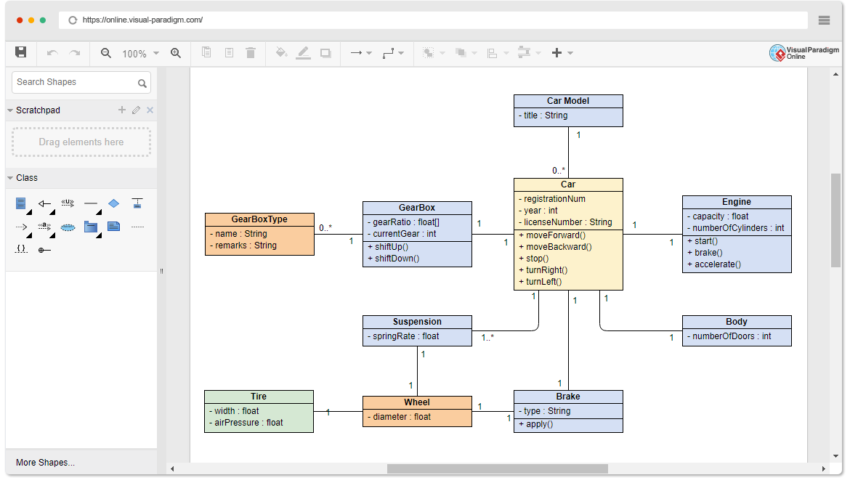
In today’s digital world, sharing information clearly is more important than ever. Whether you are a student preparing a presentation, a teacher explaining a difficult topic, or a business professional planning a project, presenting information in a simple format can make a big difference. Long paragraphs and complicated explanations are not always the best way to communicate ideas. Sometimes, a visual representation can explain something in seconds that might otherwise take several minutes to understand.
This is where Diagram Makers become useful. These tools help people turn their thoughts, information, and processes into organized visual diagrams. From flowcharts and mind maps to organizational charts and technical illustrations, diagram-making tools offer a practical way to arrange information and make it easier to understand.
With the right tool, creating a professional-looking diagram no longer requires advanced design skills. Anyone can start with a basic idea and transform it into a visual that communicates a clear message.
What Are Diagram Makers?
Diagram makers are digital tools or software applications designed to help users create visual representations of information. They provide ready-made shapes, lines, arrows, templates, and other design elements that make it easier to build diagrams without drawing everything manually.
These tools are available in different forms. Some work directly in a web browser, while others are desktop applications or mobile apps. Certain tools focus on specific diagram types, whereas others support a wide range of visual formats.
For example, a student might use a diagram maker to explain the water cycle, while a project manager could create a workflow showing how a task moves from one department to another. A business owner might use the same type of tool to illustrate company structure or plan a new business process.
The main purpose is simple: to make information easier to organize, explain, and remember.
Why Are Diagram Makers Important?
Visual communication plays an important role in learning, planning, and problem-solving. People often find it easier to understand relationships between different ideas when those relationships are displayed visually.
Imagine explaining a complicated business process using several pages of text. Readers would need to move through every paragraph to understand how the process works. A well-designed flowchart could present the same information using connected shapes and arrows.
Diagram makers help reduce this complexity by presenting information in a structured format. They allow users to identify connections, recognize patterns, and understand the order of different steps.
Another important advantage is flexibility. Users can edit their diagrams whenever information changes. Instead of creating a new illustration from scratch, they can move elements, update labels, change colors, or add new connections.
For teams, diagrams can also make discussions more productive. When everyone can see the same visual representation, it becomes easier to identify problems, suggest improvements, and agree on the next steps.
Popular Types of Diagrams You Can Create
Different situations require different kinds of diagrams. Understanding the available options can help you choose the right format for your needs.
1. Flowcharts
Flowcharts show the steps involved in a process. They commonly use rectangles, diamonds, arrows, and other shapes to represent actions, decisions, and directions.
Businesses use flowcharts to document procedures, developers use them to plan program logic, and students use them to explain sequences of events. Because the steps are displayed in order, readers can follow a process without struggling through lengthy explanations.
2. Mind Maps
Mind maps help organize ideas around a central topic. Related concepts branch outward, creating a visual structure that shows how different thoughts connect.
They are especially useful for brainstorming, planning articles, preparing for exams, and developing creative projects. A writer, for example, can place an article topic in the center and create branches for research, headings, examples, and supporting arguments.
3. Organizational Charts
Organizational charts illustrate the structure of a company, school, department, or other group. They show positions, teams, and reporting relationships.
Human resources professionals often use them to explain company structure, while managers can use them to clarify responsibilities and communication channels.
4. Network Diagrams
Network diagrams display connections between devices, systems, or other components. IT professionals use them to plan computer networks, understand system relationships, and troubleshoot technical issues.
Depending on the purpose, a network diagram may show servers, routers, computers, connections, and other infrastructure elements.
5. Venn Diagrams
Venn diagrams use overlapping circles to compare different groups or concepts. The overlapping sections represent shared characteristics, while the separate sections show differences.
Teachers frequently use these diagrams to explain comparisons, and businesses can use them to evaluate products, audiences, or competing ideas.
6. UML and Technical Diagrams
Unified Modeling Language (UML) diagrams help software developers describe the structure and behavior of software systems. Other technical diagrams can represent engineering designs, database relationships, system architecture, or product components.
These diagrams are particularly helpful when several people need to understand the same technical concept before building or modifying a system.
Key Features to Look for in Diagram Makers
Not every diagram maker offers the same experience. Some are designed for beginners, while others provide advanced features for professional projects. Choosing a tool with the right capabilities can save time and improve the final result.
Easy-to-use interface: A good diagram maker should allow users to create and edit diagrams without spending hours learning the software. Drag-and-drop functionality is particularly helpful for beginners.
Ready-made templates: Templates provide a starting point for common diagrams, including flowcharts, mind maps, timelines, and organizational charts. They reduce setup time and help users maintain a consistent structure.
Customization options: Colors, fonts, shapes, connectors, and spacing should be easy to adjust. These options allow users to match their diagrams to a presentation, report, brand, or educational project.
Collaboration tools: For teams, real-time editing and commenting can make a major difference. Team members can contribute ideas, review changes, and work together without exchanging multiple versions of the same file.
Export and sharing options: The ability to save diagrams as PDF, PNG, or other suitable formats makes them easier to include in documents, presentations, websites, and reports. Some tools also provide shareable links.
Compatibility: If you regularly work with other applications, check whether the diagram maker integrates with your existing workflow. Compatibility can reduce repetitive tasks and simplify collaboration.
Benefits of Using Diagram Makers
One of the biggest benefits of diagram makers is that they save time. Instead of manually drawing shapes and adjusting every line, users can work with templates and automated alignment features.
They also improve clarity. A carefully organized diagram separates important information into manageable sections, helping readers understand complex topics more quickly.
Another advantage is better memory and learning. Visual representations can help learners connect concepts and recall relationships between ideas. This is particularly useful when studying scientific processes, historical events, mathematical concepts, or technical subjects.
Diagram makers also encourage creativity. Users can experiment with different layouts, reorganize information, and explore alternative ways of presenting an idea. This process can reveal connections that might not be obvious in written notes.
For businesses, diagrams can support planning and communication. A workflow diagram may reveal unnecessary steps, while an organizational chart can help employees understand reporting structures. In software development, system diagrams can help teams discuss designs before implementation begins.
Most importantly, these tools make visual communication accessible. You do not need to be a professional graphic designer to create a useful diagram.
How to Choose the Right Diagram Maker
Choosing the best diagram maker depends on what you want to accomplish. Before selecting a tool, consider the type of diagrams you need, your experience level, and your budget.
If you are a beginner, look for a simple interface, helpful templates, and straightforward editing options. A tool that makes basic tasks easy is often more useful than one filled with advanced features you rarely need.
Students and teachers may prefer tools that support mind maps, flowcharts, and classroom presentations. Business professionals may need organizational charts, process diagrams, and collaboration features. Software developers and IT specialists might require specialized technical symbols, precise connectors, and support for complex diagrams.
Pricing is another important consideration. Free tools can be sufficient for personal projects, school assignments, and simple business diagrams. Paid plans may offer additional templates, larger workspaces, advanced collaboration, or more export options.
It is also worth testing how the finished diagram looks on different screens. Text should remain readable, connections should be clear, and the overall layout should not become confusing when shared with others.
Before making a final decision, create a small sample diagram. This simple test can help you determine whether the tool fits your workflow.
Tips for Creating Effective Diagrams
Having a good diagram maker is only part of the process. The way you organize information determines whether the finished diagram will be genuinely useful.
Start with a clear purpose. Decide what the diagram should explain before adding shapes or choosing colors. A diagram with no specific goal can quickly become cluttered.
Keep the design simple. Include the information readers need and remove unnecessary details. Too many shapes, colors, and crossing lines can make even a well-planned diagram difficult to follow.
Use consistent formatting. Similar elements should generally have similar colors, sizes, and styles. Consistency helps readers recognize patterns and understand the meaning of different sections.
Arrange elements logically. Flowcharts should usually follow a clear direction, while mind maps should group related ideas together. Leave enough space between elements to prevent the design from feeling crowded.
Choose readable text. Avoid unnecessarily small fonts or long descriptions inside shapes. If more explanation is required, consider adding notes outside the diagram.
Finally, review your work before sharing it. Check labels, arrows, spelling, and connections to make sure the diagram communicates the intended message accurately.
Are Online Diagram Makers Better Than Desktop Software?
Online diagram makers have become popular because they allow users to create diagrams directly in a browser. In many cases, there is no need to install software, and projects can be accessed from different devices.
Browser-based tools are especially convenient for teams working remotely. Depending on the platform, several people can review or edit the same diagram, making collaboration more efficient.
Desktop software can still be a better choice in certain situations. Some applications offer advanced technical features, support offline work, or provide greater control over specialized projects.
Security and privacy should also influence the decision. If a diagram contains confidential business information, personal data, or sensitive system details, review the provider’s storage policies and access controls before uploading it.
Neither option is automatically better for everyone. The best choice depends on the complexity of your work, your collaboration needs, and the level of control you require.
The Future of Diagram Makers
Diagram-making technology continues to develop as digital collaboration and artificial intelligence become more common. Some modern tools can help users generate initial diagrams from written descriptions, organize information automatically, or suggest improvements to a layout.
These features can make the first stage of diagram creation faster. For example, a user may describe a customer service process and receive a preliminary flowchart that can then be reviewed and edited.
However, automated results still require human judgment. A generated diagram may misunderstand a relationship, omit an important step, or present information in a misleading way. Users should always check the accuracy of the content before relying on it.
Future tools are likely to place greater emphasis on accessibility, collaboration, automation, and integration with everyday work applications. Even as these features improve, the fundamental purpose will remain the same: helping people communicate information visually and clearly.
Conclusion
Diagram makers have become valuable tools for students, teachers, business professionals, designers, developers, and anyone who needs to explain information effectively. They simplify complex ideas, support better organization, and make it easier to communicate relationships between different concepts.
Whether you need a basic flowchart for a school assignment or a detailed technical diagram for a professional project, the right tool can make the process more manageable. By choosing suitable features, keeping your design simple, and checking the accuracy of your information, you can create diagrams that are both attractive and practical.
Ultimately, the best diagram maker is not necessarily the one with the most features. It is the one that helps you turn your ideas into clear visuals with the least unnecessary effort. When information is organized well, people can understand it more easily, make better decisions, and work together more effectively.